


I keep seeing it on code reviews. Proxy solid. Auth on every Server Component. Header direction correct.
Then I look at the Server Actions.
No auth check. Not one. The page that renders the button is protected. The action behind the button accepts whatever the caller sends -- any valid session, any resource ID, no ownership verification anywhere.
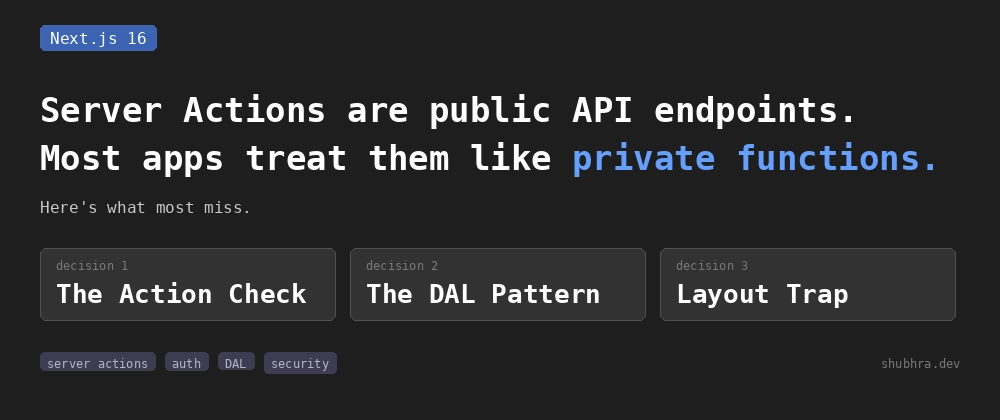
'use server' doesn't add authentication. It exposes an HTTP endpoint. Anyone with a valid session cookie and a cURL command can call it directly, no UI required.
That's what this post covers.
What "use server" does, and what it does not do
When you add 'use server' to a file or a function, you're telling Next.js to move that code to the server and expose it as a callable endpoint. That's all it does.
It does not add authentication. It does not check who is calling. It does not verify that the caller has any session at all. From the official Next.js 16 docs:
Treat Server Actions with the same security considerations as public-facing API endpoints, and verify if the user is allowed to perform a mutation.
Public-facing API endpoints. That's exactly what they are. Anyone who can construct a POST request to the right URL can call your Server Action. No browser required. No UI required. A cURL command with a valid session cookie is enough.
The shift that matters: when you write a Server Action, you're not writing an internal helper that only runs when a user clicks a specific button. You're writing a public HTTP endpoint that also happens to be invokable from a button. Completely different from a security standpoint.
Next.js does give you two protections out of the box worth knowing about. Action IDs are encrypted and non-deterministic, recalculated between builds, so old IDs stop working after a deploy. Unused Server Actions are removed from the client bundle entirely through dead code elimination. Both things help reduce your attack surface. Neither one is authentication.
The gap that looks fine until it isn't
This is the pattern I keep finding on code reviews:
// app/dashboard/posts/[id]/page.tsx
import { verifySession } from '@/app/lib/dal'
import { deletePostAction } from './actions'

export default async function PostPage({ params }) {
  const session = await verifySession()  // Page is protected

  return (
    <div>
      <h1>Edit Post</h1>
      <form action={deletePostAction}>
        <input type="hidden" name="postId" value={params.id} />
        <button type="submit">Delete</button>
      </form>
    </div>
  )
}
// app/dashboard/posts/[id]/actions.ts
'use server'

import { db } from '@/lib/db'

export async function deletePostAction(formData: FormData) {
  const postId = formData.get('postId') as string

  // No auth check. The page already verified the user.
  await db.post.delete({ where: { id: postId } })
}
The page check runs at render time and confirms the user is authenticated before the UI appears. The action check never runs because nobody added one. The action will accept a delete request from anyone with any valid session, for any post ID, with no verification that the caller owns the post.
The fix is treating the action as its own entry point with its own verification:
// app/dashboard/posts/[id]/actions.ts
'use server'

import { verifySession } from '@/app/lib/dal'
import { db } from '@/lib/db'

export async function deletePostAction(formData: FormData) {
  const session = await verifySession()
  const postId = formData.get('postId') as string

  const post = await db.post.findUnique({ where: { id: postId } })

  if (!post || post.authorId !== session.userId) {
    throw new Error('Not found')
  }

  await db.post.delete({ where: { id: postId } })
}
Two changes. verifySession() runs first, independent of whether the page ran it. The ownership check runs before the delete.
Same error for "not found" and "not authorized" is intentional. Different error messages let a caller figure out which post IDs exist in your system. One generic error closes that.
The Data Access Layer: why it exists
Once you start adding auth checks, ownership checks, and business logic inside every action, the actions get long and hard to audit. I used to copy-paste the ownership check into every action that touched posts. Then I changed the logic in one place and forgot the other four. A user found the gap before I did. The Data Access Layer pattern fixed that permanently.
Centralize all auth logic and database access in a separate module marked with server-only. Keep your actions thin. Actions receive input, call DAL functions, handle Next.js-specific things like cache revalidation. That's it.
// app/lib/dal.ts
import 'server-only'
import { cookies } from 'next/headers'
import { decrypt } from '@/app/lib/session'
import { cache } from 'react'
import { redirect } from 'next/navigation'

export const verifySession = cache(async () => {
  const cookie = (await cookies()).get('session')?.value
  const session = await decrypt(cookie)

  if (!session?.userId) {
    redirect('/login')
  }

  return { isAuth: true, userId: session.userId as string }
})
server-only at the top is not decoration. It causes a build error if this module ever gets imported from a Client Component. The auth logic physically cannot reach the browser because the build won't allow it. That's stronger than any code review convention.
The cache() wrapper from React is worth understanding too. When verifySession() gets called multiple times during the same render pass, once from the page, once from a leaf component, once from a data function, React deduplicates those calls automatically. One cookie read, one JWT verification, one result shared across the render. No repeated work.
Now the DAL functions:
// app/lib/dal.ts (continued)
import { db } from '@/lib/db'

export const getUserPost = cache(async (postId: string) => {
  const session = await verifySession()

  const post = await db.post.findUnique({
    where: { id: postId },
    select: { id: true, title: true, content: true, authorId: true }
  })

  if (!post || post.authorId !== session.userId) {
    return null
  }

  return post
})

export const deleteUserPost = async (postId: string) => {
  const session = await verifySession()

  const post = await db.post.findUnique({ where: { id: postId } })

  if (!post || post.authorId !== session.userId) {
    throw new Error('Not found')
  }

  await db.post.delete({ where: { id: postId } })
}
And the action becomes thin:
// app/dashboard/posts/[id]/actions.ts
'use server'

import { deleteUserPost } from '@/app/lib/dal'
import { revalidatePath } from 'next/cache'

export async function deletePostAction(formData: FormData) {
  const postId = formData.get('postId') as string
  await deleteUserPost(postId)
  revalidatePath('/dashboard/posts')
}
The action does two things: call the DAL function and handle cache invalidation. Everything else lives in the DAL where it's reviewable and testable in one place.
The Layout trap that catches everyone once
A lot of developers put their auth check in a shared Layout component because it feels efficient. One check, covers everything under that route segment. The official docs have a specific warning about this:
Due to Partial Rendering, be cautious when doing checks in Layouts as these don't re-render on navigation, meaning the user session won't be checked on every route change.
What that means in practice: a user navigates to /dashboard, the Layout checks their session. They then navigate to /dashboard/billing. The Layout does not re-render. No session check runs for that navigation. If that user's session was revoked between those two navigations, the billing page renders anyway.
The fix is straightforward. Layouts fetch user data for display purposes, name in the nav, avatar, that kind of thing. The authorization check belongs in the page component or the DAL function it calls, not in the Layout.
// app/dashboard/layout.tsx
import { getUser } from '@/app/lib/dal'

export default async function DashboardLayout({ children }) {
  const user = await getUser()  // For display only, not auth enforcement

  return (
    <div>
      <nav>Welcome, {user.name}</nav>
      {children}
    </div>
  )
}

// app/dashboard/billing/page.tsx
import { verifySession } from '@/app/lib/dal'
import { getUserPermissions } from '@/app/lib/dal'
import { redirect } from 'next/navigation'

export default async function BillingPage() {
  const session = await verifySession()  // Runs on every navigation to this page
  const permissions = await getUserPermissions(session.userId)

  if (!permissions.includes('billing:read')) {
    redirect('/unauthorized')
  }

  // render billing content
}
Because verifySession() lives in the DAL and gets called from the page component directly, it runs on every navigation to that page regardless of what the Layout did or did not do.
Roles vs permissions inside actions
Roles are coarse and stable. They live in the session payload. Checking a role inside a DAL function costs nothing extra because the session is already decrypted:
// app/lib/dal.ts
export const verifyAdminSession = cache(async () => {
  const session = await verifySession()

  if (session.role !== 'admin') {
    redirect('/unauthorized')
  }

  return session
})
Permissions are granular and they change independently of session rotation. If you revoke a user's billing:export permission at 2pm, you want that to take effect immediately, not when their session next expires. That means a database call:
// app/lib/dal.ts
export const getUserPermissions = cache(async () => {
  const session = await verifySession()

  const permissions = await db.permission.findMany({
    where: { userId: session.userId },
    select: { name: true }
  })

  return permissions.map(p => p.name)
})
Because getUserPermissions is wrapped in cache(), if it gets called from both the page component and a leaf component during the same render, the database query runs once. Covered in Part 2 briefly, but the DAL pattern is where this actually becomes useful because the cache wrapper lives in one place and applies everywhere the function is called.
What to return from Server Actions
Server Action return values get serialized and sent to the client. If you return a raw database record, the client gets every column including ones it should never see. This happens by accident more than people realize:
// This sends passwordHash, stripeCustomerId, internalNotes to the browser
'use server'
export async function updateProfile(formData: FormData) {
  const session = await verifySession()

  return db.user.update({
    where: { id: session.userId },
    data: { name: formData.get('name') as string }
  })
}

// Return only what the UI needs
'use server'
export async function updateProfile(formData: FormData) {
  const session = await verifySession()

  await db.user.update({
    where: { id: session.userId },
    data: { name: formData.get('name') as string }
  })

  return { success: true, name: formData.get('name') }
}
When your DAL functions use explicit select statements, this is mostly handled automatically. The action returns what the DAL gives it. The DAL selects only the columns it needs. Nothing extra reaches the client.
Before you ship
- Every Server Action calls
verifySession()before touching data - Every mutation checks ownership before executing, not after
- DAL functions use
server-onlyand explicitselectstatements - Auth checks live in page components, not Layouts
- Return values are DTOs, not raw database records
- Test every action directly with cURL or a REST client before deploying, not just through the UI
That last one is the test. If hitting an action endpoint directly with a valid session cookie returns data or executes a mutation it should not, the UI protecting it does not matter.
Where this series ends
Part 1 was the invoice incident. One missing ownership check in a data function. Technically correct auth at every layer that actually existed, and one layer that did not exist.
Part 2 was the proxy.ts gate. The matcher failures that happen silently, the header direction bug, and getVerifiedUser() to close the header trust boundary.
This post is the layer that catches mutations. verifySession() in every Server Action independent of the page that rendered the button. Ownership checks before every mutation. The DAL pattern so the auth logic lives in one place. DTOs so the client only gets what it needs.
Three independent checks. One bug doesn't open the door.
I still see the missing action check on almost every code review I do. Not in the proxy. Not in the page. In the action, quietly accepting whatever the caller sent.
Full implementation with all three layers at Next.js 16 Authentication: The 3-Layer Security Model That Catches What proxy.ts Misses. Loading states, error handling, useActionState, and cache invalidation patterns in Server Actions are covered in Next.js 16 Server Actions: The Bugs That Only Show Up in Production.
Note: I use AI for editing and image generation, but the technical substance is from my own work.


Top comments (8)
Shubhra, I didn't know about this one.
The part about treating Server Actions like public-facing endpoints makes a lot of sense when you think about it, but I can also see why it's something people overlook.
Thanks for putting this together and walking through the examples.
Glad it helped. That endpoint framing is what clicked for me too. Once you think of it that way the auth check stops feeling optional.
The examples are just stuff I kept running into on real codebases so figured they were worth writing up.
You can make that ownership check even harder to forget by folding it into the write itself. Instead of
findUnique, compareauthorId, then delete, dodb.post.deleteMany({ where: { id: postId, authorId: session.userId } })and treat a count of 0 as your "not found". A non-owner matches zero rows, the DB enforces ownership in one round trip, and there's no separate check sitting there waiting to get dropped during a refactor. Same idea works for update.verifySessionstill belongs up top, of course, this just collapses the check into the mutation itself. The point about Server Actions being public endpoints is one more people need to hear, the cURL line should be on a poster somewhere.Good trick, but I kept the checks separate deliberately. When
deleteManyreturns 0 you lose the reason. Was the post missing or did they not own it? For logging and auditing that distinction actually matters.An explicit ownership check is also harder to miss in a code review than an authorId tucked inside a
whereclause, which is kind of the whole point of the DAL pattern.Expert advice! But the fact that you need to do auth checks in your backend code is a no-brainer for every backend developer - the fact that people completely "forget" that in this scenario can't be a coincidence - it's because, with "use server", frontend devs have now 'suddenly' (and often unknowingly) become backend devs ... ;-)
Exactly, and
use serveris the reason it keeps happening. You write what looks like a regular async function and Next.js quietly turns it into a public HTTP endpoint. Nobody sees that directive and thinks backend security. The abstraction hides what's actually going on underneath.Nice Next.js 16 debugging as usual! 😃
I still sometimes open DevTools, wonder why there are no logs, and then realize that Next.js is running on the server instead of the browser. 😅 It's always a bit tricky for me.
Some comments may only be visible to logged-in visitors. Sign in to view all comments.